 Virtual Closer
The app
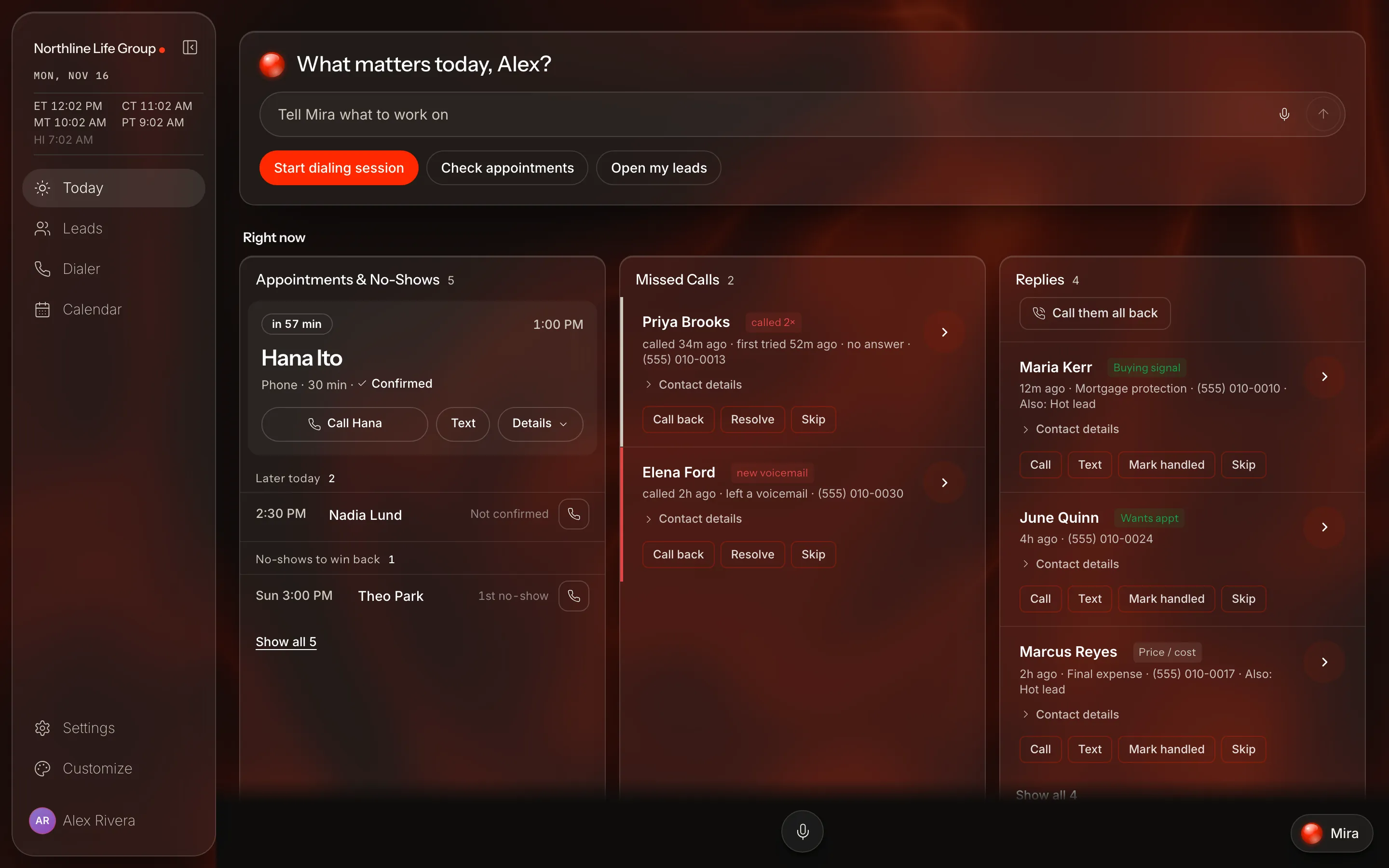
Example account. The people are made up.
Use our app if you would rather not use your AI
On the web, iPhone and Android.
01
Ask Mira in the app
Tell Mira what you want to work on, in your own words.
What matters today?
Tell Mira what you want to work on
Start dialing sessionCheck appointmentsOpen my leads
02
Your leads
Search, filter, and call from the list.
Each lead shows where it stands.
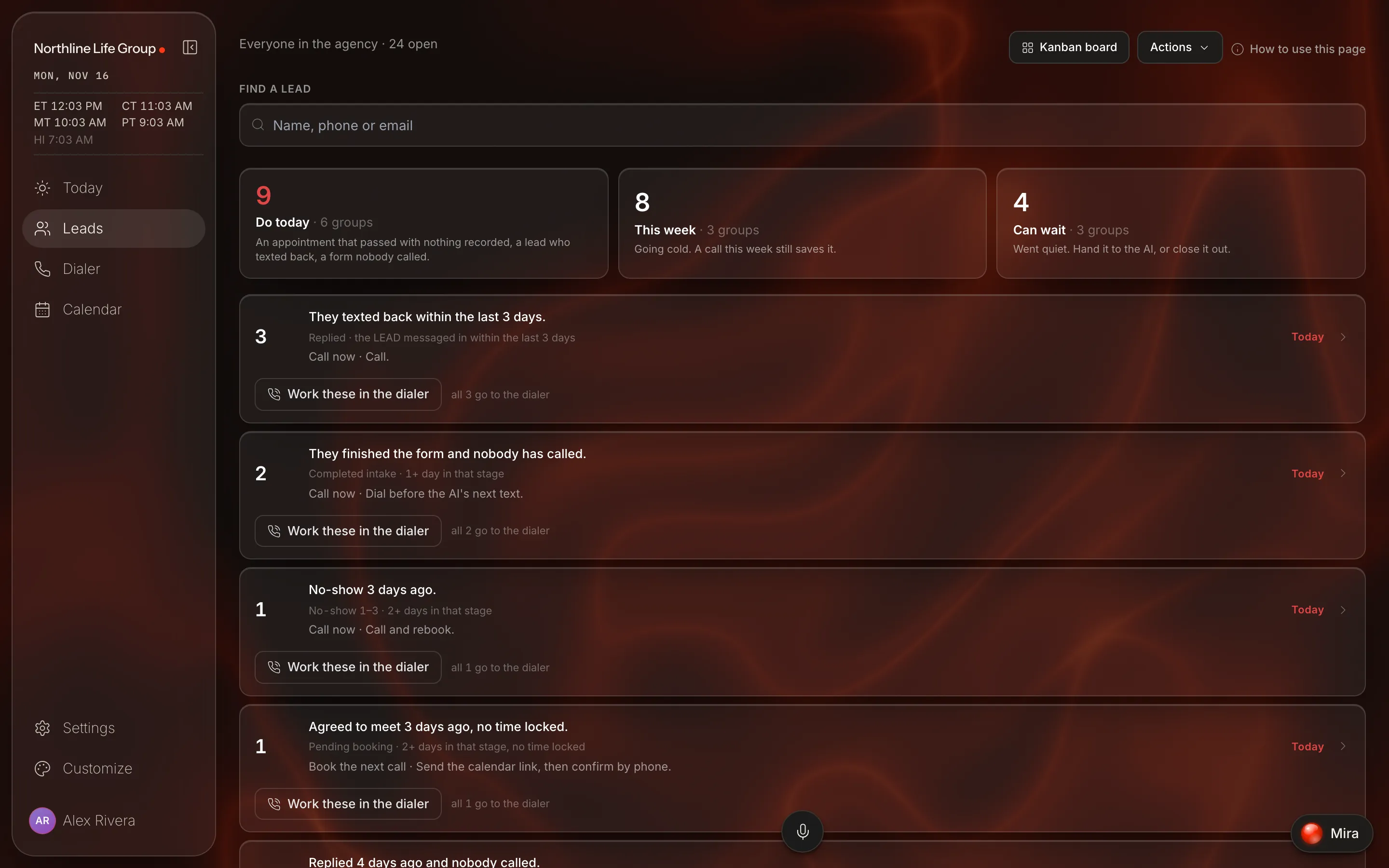
03
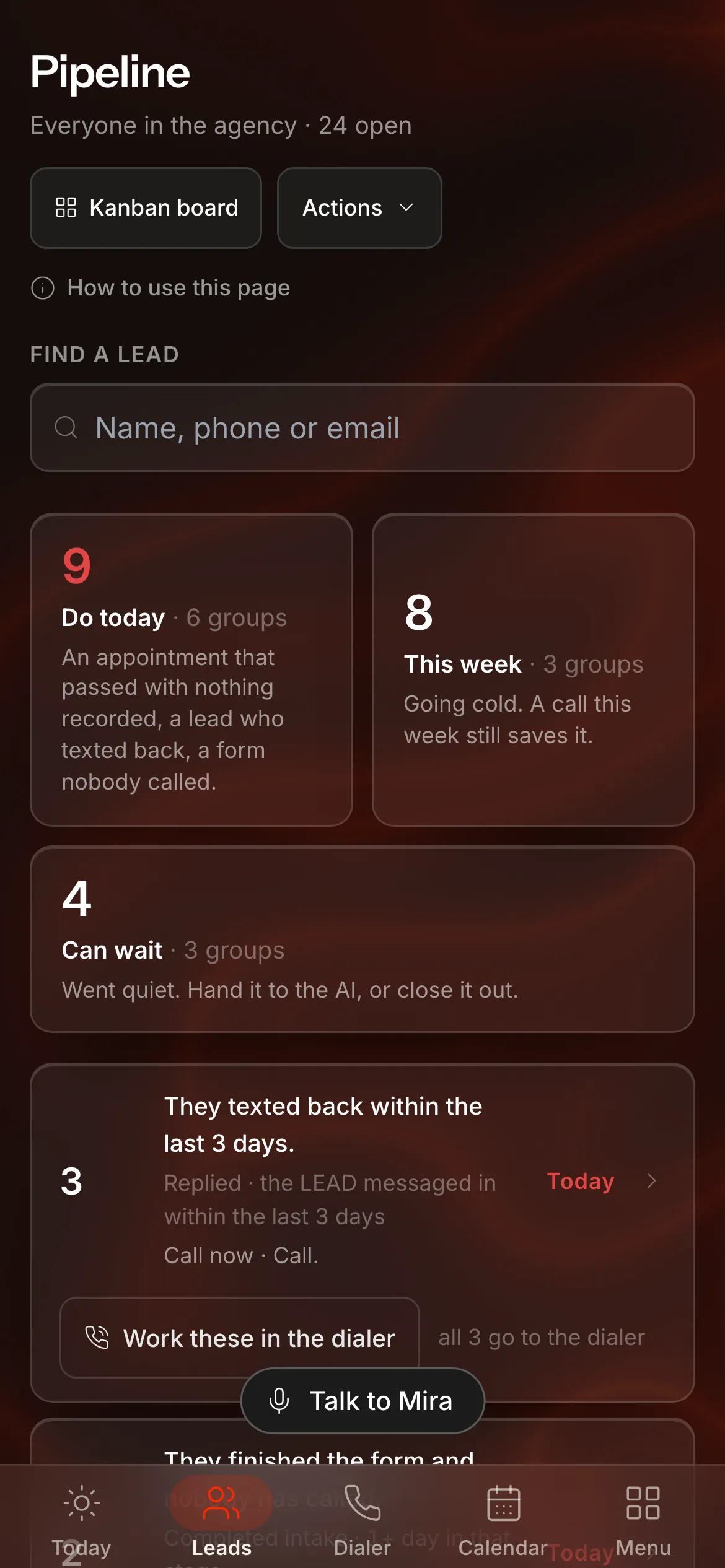
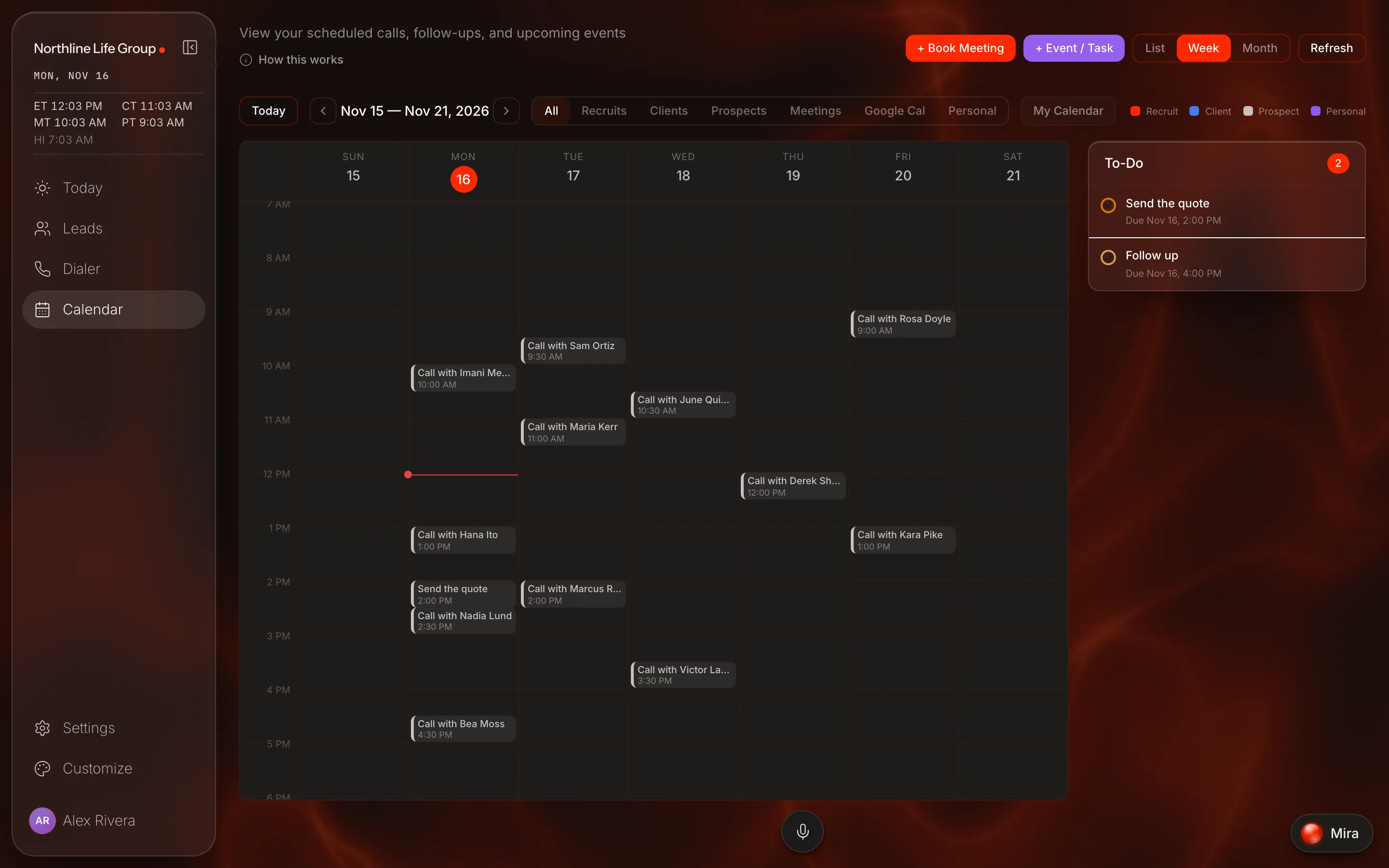
Your calendar in your pocket
Today's and tomorrow's meetings in one list.

04
Dial from anywhere
One start button.
Ring in the browser or on your cell.

05
Get the app
The same account in Claude, on the web and on your phone.
Keep exploring
 What we protectYour AI sees a code, not a name. The texting rules are checked before automated follow-up texts go out.See more →Inside ClaudeVirtual Closer plugs into Claude. You ask; Mira does the texting and booking, and you make the calls.See more →
 What you connectYour CRM, the number you already text from and your calendar. You buy no numbers and file no texting registration with us.See more →
Plug it in and run virtual sales.
On the web, iPhone and Android.